The WebExtensions API: Cross-Browser Compatibility in 2026
A practical look at the WebExtensions API across Chrome, Firefox, Edge, and Safari in 2026 — where they agree, where they diverge, what polyfills actually do, and how to test across browsers without losing your mind.
By Kai Nakamura · 9 min · 13 May 2026
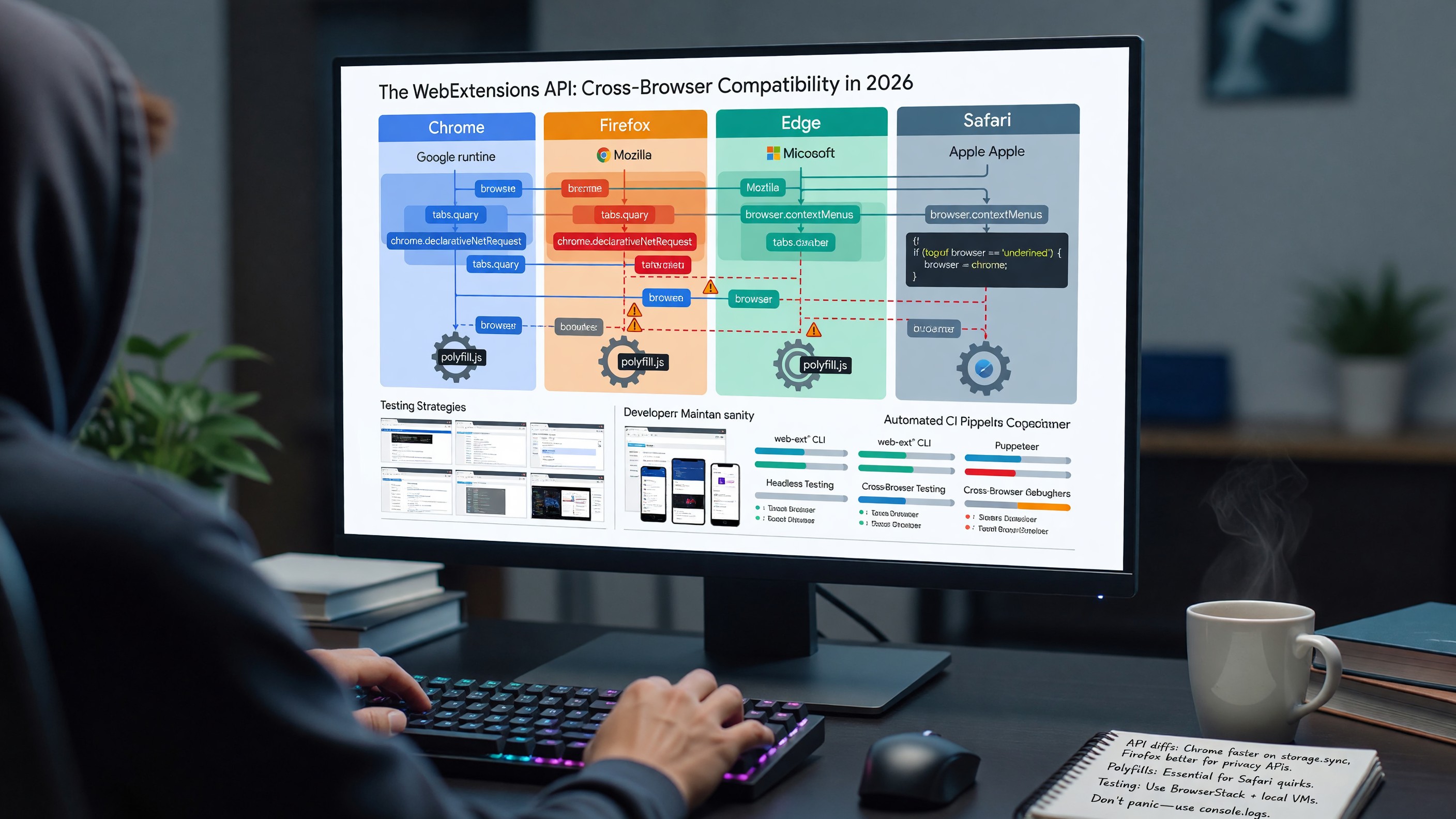
The WebExtensions API: Cross-Browser Compatibility in 2026
The WebExtensions API is one of the quieter standardization stories of the last decade. It is not a W3C Recommendation. It is not a WHATWG Living Standard. It is a de facto common surface that emerged because Firefox decided to adopt Chrome’s extension model, Microsoft adopted the same model when Edge moved to Chromium, and Safari converted its older extension format to a close-enough variant. In 2026, “write once, run on four browsers” is closer to true for extensions than at any point in the platform’s history — and still not actually true in the cases that matter most.
This is a survey of where things stand, what the meaningful differences are, and how to build extensions that work across the major browsers without rewriting them three times.
The Standards Picture
There is no single specification of the WebExtensions API in the sense that there is a specification for the DOM or for HTTP. There is:
- The Chrome documentation, which functions as the de facto reference for most APIs because Chrome shipped first and the others followed.
- The Firefox documentation on MDN, which is more rigorous, calls out cross-browser differences for every API entry, and is the resource most developers actually use.
- The WebExtensions Community Group at the W3C, which has been working since 2020 toward a formal specification. Progress has been steady but slow; the group’s primary output has been alignment work and a published catalog of differences, not a single normative document.
- Safari’s documentation, which describes its own conversion process and the specific quirks of Safari Web Extensions.
The practical effect: when you want to know if an API exists everywhere, MDN’s browser compatibility tables are the source of truth. When you want to know how it behaves at the edges, you test.
Where the Browsers Actually Agree
The core extension surface is consistent enough across Chrome, Firefox, Edge, and Safari that a moderately careful extension can target all four. The reliably-cross-browser APIs include:
storage—storage.local,storage.sync, andstorage.sessionare universally supported with consistent semantics.storage.managedworks on Chrome, Firefox, and Edge for enterprise-deployed extensions.runtime— message passing,onInstalled,onStartup,getURL, andgetManifestare everywhere.tabs— basic tab querying, creation, updating, and removal work consistently. The edges (specific tab events, group APIs) diverge.scripting— the MV3 way to inject scripts and styles works on Chrome, Firefox, and Edge. Safari supports it with restrictions.contextMenus— works everywhere, with Firefox offering a superset (menus) that includesonShown/onHidden. See our context menu extensions guide for the API in depth.alarms— consistent across browsers, with the same minimum-period constraints.commands— keyboard shortcuts work everywhere, with some divergence in default-shortcut conflict resolution.i18n— internationalization works the same way on all four browsers.
If your extension uses only these APIs, the cross-browser story is genuinely good. Most of the cross-browser pain comes from a smaller set of higher-impact APIs.
Where They Diverge
The differences that bite in practice:
Background contexts. Chrome requires service workers in MV3; Firefox supports service workers, event pages, and persistent background pages; Safari supports service workers and persistent background pages with platform-specific lifecycle rules. An extension architected purely around service worker semantics works everywhere; an extension relying on persistent background pages works on Firefox and Safari but not Chrome. See our MV3 migration guide for the service worker constraints.
Request blocking. Chrome removed webRequest blocking for most extensions in MV3 and replaced it with declarativeNetRequest. Firefox supports both. Safari supports a contentBlocker model that is different from both and requires content blocker rules in a Safari-specific JSON format. Cross-browser request blocking in 2026 means either (a) targeting only the DNR subset that works everywhere, or (b) shipping different implementations per browser.
Host permissions and the runtime grant model. Chrome and Edge implement the “Sites you allow on click” model and runtime grant of host permissions. Firefox supports permissions.request() but with different UX. Safari handles host permissions through a per-site approval flow that has no direct Chrome equivalent.
Manifest schema. All four browsers accept Manifest V3, but each ignores some fields, requires others, and validates the schema with different strictness. Chrome’s validator is the strictest; Firefox accepts manifests Chrome rejects (and vice versa for some keys); Safari requires manifest fields specific to its conversion process.
Native messaging. Available on Chrome, Firefox, and Edge with the same JSON-over-stdio protocol but different host registration mechanisms (registry on Windows, manifest files on macOS and Linux, with paths that differ per browser). Not available on Safari.
Side panels and devtools panels. Chrome’s sidePanel API is supported on Edge but not on Firefox (which uses the older sidebar_action) and not on Safari. Devtools panels work on Chrome, Firefox, and Edge with minor differences; Safari support is limited.
API namespace. Firefox and Safari expose the API under browser.* with promise-returning methods. Chrome and Edge expose it under chrome.*, which historically used callbacks but now also returns promises for most methods in MV3. Both browsers accept both namespaces in many cases, but the canonical names differ.
Polyfills: What They Do and Don’t Do
webextension-polyfill (the Mozilla-maintained polyfill) is the most common cross-browser approach. What it actually does:
- Exposes
browser.*on Chrome and Edge by wrappingchrome.*. - Converts callback-style methods to promise-returning methods on Chrome (less needed in MV3 than it was in MV2, but still useful for older codebases).
- Normalizes minor argument differences for the APIs it covers.
What it does not do:
- Polyfill APIs that do not exist in a target browser. If Safari lacks
webRequest, the polyfill cannot give youwebRequeston Safari. - Reconcile semantic differences. If
tabs.queryreturns slightly different results on Firefox vs Chrome for a given query, the polyfill does not change that. - Cover Safari completely. Safari’s API surface is close to but not identical to the polyfill’s assumptions; some methods are missing, others have additional restrictions.
The realistic approach: use the polyfill to unify the namespace and promise semantics, then handle remaining differences with feature detection (if (browser.sidePanel) { ... }) and per-browser code paths where needed.
Safari Web Extension Conversion
Safari Web Extensions are the closest thing Apple has to a Chrome-style extension. The conversion process is:
- Start with a working Chrome or Firefox extension.
- Run Apple’s
safari-web-extension-converter(part of Xcode) to generate a macOS app project that wraps the extension. - Adjust the generated project for Safari-specific behavior — manifest fields Safari uses, code paths that need feature detection, and any APIs that do not work.
- Sign and distribute through the Mac App Store, or for personal use, signed through Xcode.
The friction points:
- Distribution requires a Mac App Store presence. There is no Safari extension gallery in the Chrome Web Store sense. Distribution means an app wrapping the extension, App Review, and Apple Developer Program membership.
- iOS Safari extensions are a related but separate product. The conversion is similar but the API restrictions are tighter, and not all desktop Safari extensions can be ported to iOS without significant changes.
- Updates require app updates. A change to the extension is a new version of the app, subject to review.
For most cross-browser extension authors, Safari support is a separate project rather than a build target — different distribution model, different testing harness, different user expectations. Whether it is worth the effort depends entirely on the audience.
A Testing Strategy That Works
The minimum viable cross-browser test matrix for an extension:
- Develop on Chrome. It has the strictest MV3 enforcement and the most aggressive service worker termination. If your extension works on Chrome, it usually works on Edge with no changes.
- Test on Firefox after each significant change. Manifest differences, API differences, and the persistent-vs-service-worker background model are the most common breakage points. Firefox’s
web-extCLI streamlines this. - Test on Edge before each release. Edge usually passes if Chrome passes, but there are occasional Microsoft-specific issues (especially around enterprise policy and the Edge add-ons store’s validation).
- Convert and test on Safari only if you are committing to Safari support. The conversion step is not a side activity; it is a parallel project.
Automation is improving. web-ext (Mozilla) and chrome-extension-tools integrations with Playwright let you script extension behavior across browsers. The tooling is still less mature than for web apps, and most extension developers do significantly more manual testing than they would for an equivalent web project.
WHATWG, W3C, and the Long Game
The WebExtensions Community Group at the W3C is the only standards-track effort focused on this surface. Its progress has been steady — published documents on the manifest, a normative model for several core APIs, and ongoing alignment work — but the political reality is that the four browsers will not agree on the contentious APIs (request blocking, background contexts, host permission models) just because a spec asks them to. The disagreements are about extension platform philosophy, not about technical details.
The optimistic read: the boring two-thirds of the API surface is increasingly standardized in practice, the documentation has converged on MDN, and the polyfill ecosystem is maintained. The cautious read: the parts of the API that matter most for the most popular extension categories — content blockers, privacy tools, developer tools — are exactly the parts where the browsers most actively disagree.
Both reads are true. Plan accordingly.
FAQ
Should I use chrome.* or browser.* in my code?
Use browser.* and the webextension-polyfill package. It works everywhere, returns promises consistently, and matches the MDN documentation.
Does my Chrome extension work on Edge without changes? Almost always yes. Edge is Chromium with a different store and slightly different enterprise policy surface. Submit to the Edge add-ons store; the same code typically passes.
How different is Firefox’s MV3 from Chrome’s MV3?
The manifest format is largely the same. The two biggest differences are that Firefox allows persistent background pages and event pages alongside service workers, and Firefox still supports webRequest blocking. Code that uses only the strict-MV3 subset works on both.
Is Safari Web Extension worth the effort? If you have a significant Mac and iOS user base and the extension is differentiated enough that those users would seek it out, yes. If it is a casual cross-browser port of a general-purpose extension, the effort is rarely repaid.
Will there ever be a single WebExtensions standard? Probably not in the strong sense. There will likely be a published W3C document that codifies the agreed subset and notes the disagreements. The disagreements themselves are unlikely to be resolved by a spec.